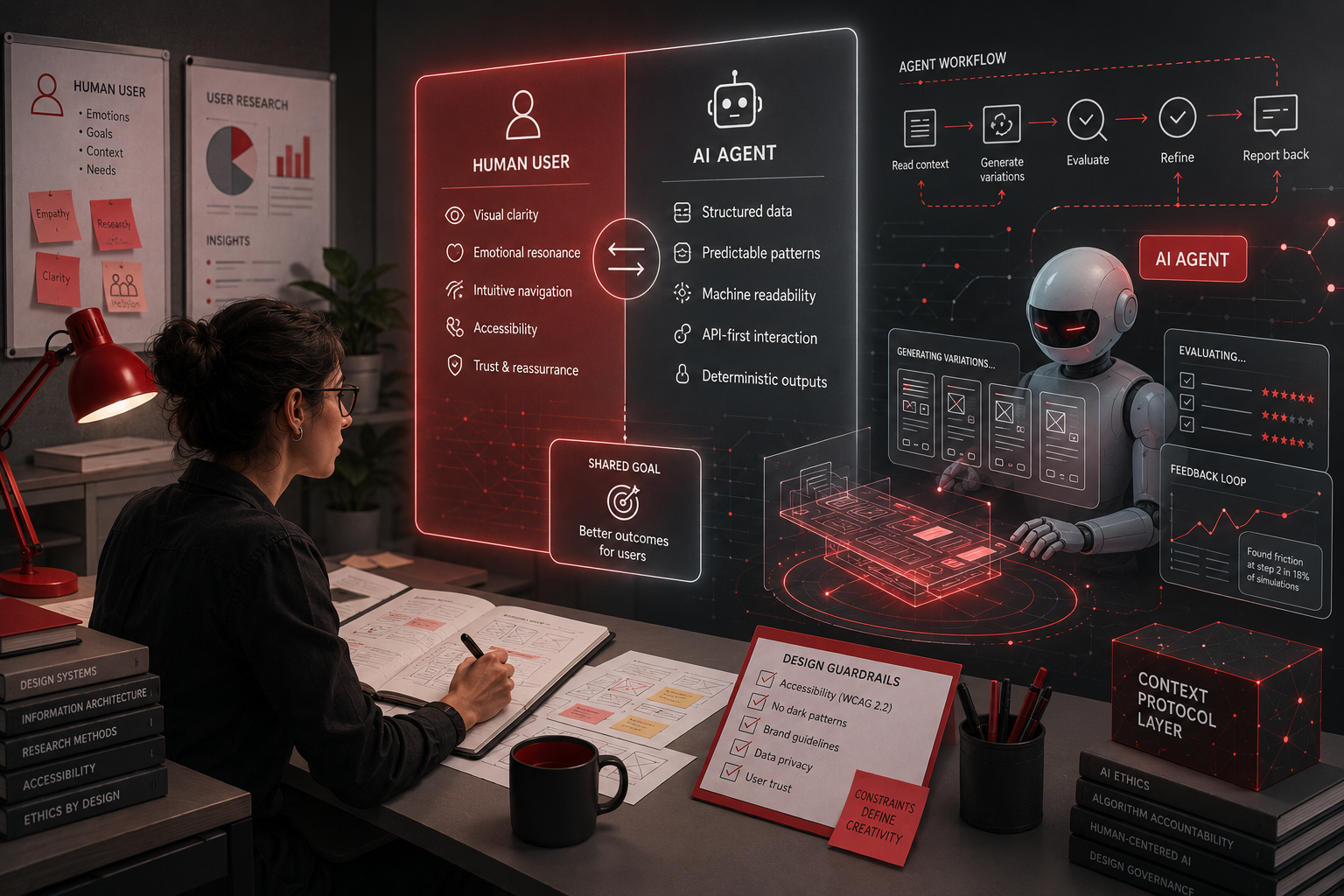
There's a contradiction at the heart of modern UX practice that nobody wants to talk about. The tools we've built to make designers faster and more capable are, at the same time, quietly eroding the very skills they're supposed to amplify. AI-powered design assistants can now generate entire component libraries, suggest layout optimizations, write interaction copy, and even run usability heuristics — but in doing so, they're creating a generation of designers who increasingly cannot explain why they made the choices they made. They can execute, but they can't reason. They can produce, but they can't critique.
This isn't a Luddite rant against technology. It's a structural problem with how we're integrating AI into design workflows, and it has consequences that reach far beyond the design team — into the products our users interact with every single day.
The Competence Curve Is Flattening
The traditional path to UX mastery follows a predictable arc. Junior designers start by learning principles — hierarchy, contrast, affordance, information architecture. They struggle with tools. They make bad decisions and learn from them. Over years, they develop an internal model of how users think, how systems behave, and how design decisions cascade into real-world outcomes. This model is what we call "design judgment," and it's the single most valuable thing a senior designer brings to the table.
Now introduce AI tools into this trajectory. Figma's AI features, Adobe Firefly, Webflow's AI builder, Framer's design-to-code generation, and a dozen other tools can now handle the tasks that used to force junior designers to develop their craft. Need a responsive layout? AI generates it. Need placeholder copy? AI writes it. Need a color palette? AI suggests one. Need a component library? AI scaffolds it in seconds.
The speed gains are undeniable. Teams ship faster. But speed without understanding is just acceleration in an unknown direction. The junior designer who never struggled with responsive breakpoints never internalized the constraints that make responsive design hard. The designer who always uses AI-generated copy never developed the ear for microcopy that makes interfaces feel human. The designer who relies on AI layout suggestions never built the spatial reasoning that makes a senior designer look at a page and feel that something is wrong.
MIT Technology Review's 2026 coverage of AI trends highlighted what they call "the human skills question" — the growing gap between what AI can do and what humans still need to understand to direct it effectively. The 10 Breakthrough Technologies of 2026 report flagged AI-augmented work as a defining tension of the era: the tools are getting better faster than our ability to use them wisely.
The paradox: the more capable our tools become, the less capable we become at operating without them.
The Explainability Crisis in Design Reviews
Here's where the problem stops being theoretical and starts affecting real teams.
Walk into any mid-level design critique today and you'll see it: designers presenting screens generated partially or wholly by AI, unable to articulate the reasoning behind specific choices. When asked "why this layout?" or "why this information hierarchy?" the answers become vague — "the AI suggested it" or "it tested well" without the designer being able to explain the underlying principles.
This isn't the designer's fault. It's a workflow problem. When AI sits between the designer and the decision, the decision-making loop gets short-circuited. The designer's role shifts from decision-maker to curator — selecting from AI-generated options rather than generating options from first principles.
Don Norman, whose foundational work on cognitive science and design spans four decades, has warned about this inversion. His recent commentary on AI-assisted design practice points to a fundamental principle: if you can't explain why a design decision is right, you haven't made a design decision — you've accepted a recommendation. And recommendations, no matter how statistically sound, don't account for the specific context, user population, and business constraints that make each design challenge unique.
The Nielsen Norman Group's ongoing research into AI-assisted UX workflows validates this concern. Their 2025-2026 studies show that teams using heavy AI assistance in the design phase produce interfaces that score well on automated usability metrics but perform significantly worse in qualitative user testing — particularly on dimensions like trust, comprehension, and emotional resonance. The AI optimizes for what it can measure. Humans need to optimize for what they can feel.
The Hidden Tax on Junior Development
The most damaging long-term consequence of AI tool dependency falls on junior designers — the people who are supposed to be developing the skills that will carry them through their careers.
Think about how people actually learn complex skills. Cognitive science research consistently shows that expertise develops through desirable difficulty — tasks that are challenging enough to require deep engagement but achievable enough to prevent abandonment. The struggle is the learning. When AI removes the struggle from design tasks, it doesn't just save time. It removes the conditions necessary for skill development.
Consider a concrete example. A junior designer at a SaaS company is tasked with redesigning a settings page. In a pre-AI workflow, they'd need to:
1. Analyze the existing information architecture
2. Understand user mental models through research
3. Sketch multiple layout approaches
4. Evaluate tradeoffs between different organization schemes
5. Prototype and test
6. Iterate based on feedback
Each of these steps builds specific neural pathways — research skills, spatial reasoning, systems thinking, evaluative judgment. Now the designer opens their AI design assistant, describes the settings page in a prompt, and gets ten options in 30 seconds. They pick the one that looks cleanest. Done.
What did they learn? What skill did they practice? What mental model did they build?
Nothing. They learned how to write a prompt. That's a valuable skill, but it's not a substitute for the six competencies they just bypassed.
Aarron Walter and Eli Woolery addressed this directly in a Design Better podcast episode (Bill Burnett: How to Live a Meaningful Life, Episode 163), where Burnett argued that "the things you struggle with become the things you're good at." Remove the struggle, and you remove the growth. This isn't some abstract philosophical point — it has direct, measurable consequences for team capability. Organizations that over-rely on AI for design execution now face a pipeline problem in 3-5 years: fewer mid-level and senior designers who can operate independently of AI tools.
The Quality Floor vs. Ceiling Problem
One counterargument to the dependency concern is that AI tools raise the quality floor — the minimum quality any designer can produce. And this is true. A junior designer with AI assistance can produce work that looks better on the surface than what they'd produce alone. Better typography, better spacing, better color harmony.
But floors and ceilings are different things.
The quality ceiling — the breakthrough work that changes how people think about a problem — comes from deep domain knowledge, creative risk-taking, and the ability to hold multiple constraints in mind simultaneously. It comes from the kind of thinking that can only emerge from someone who has internalized the fundamentals so deeply that they can break them intentionally.
Breaking rules intentionally is perhaps the most critical distinction between competent and exceptional designers. You can only break rules effectively if you understand them deeply enough to know which ones to break and when. AI tools, by their nature, optimize for the statistically typical. They produce the safe, the proven, the conventional. They cannot produce the radical innovation that redefines categories — because radical innovation looks, statistically, like a mistake.
Jakob Nielsen's recent writing on AI and usability makes this point explicitly: AI excels at optimization within existing paradigms but cannot create new paradigms. The shift from skeuomorphism to flat design, from hamburger menus to gesture navigation, from form-based interfaces to conversational interfaces — none of these paradigm shifts came from statistical optimization of what already existed. They came from designers who understood the constraints so deeply that they could see past them.
The Automation Complacency Loop
There's a psychological dimension to this problem that's well-documented in human factors research but rarely discussed in design contexts.
Automation complacency is the tendency for humans to reduce their own monitoring and verification behavior when assisted by reliable automated systems. It's why pilots can lose situational awareness when autopilot handles routine flight phases. It's why drivers become less attentive with adaptive cruise control engaged. And it's why designers become less critical when AI handles routine design decisions.
The mechanism is straightforward. When an AI system is right 95% of the time (a generous estimate for current design AI), users quickly learn that questioning the output is usually unnecessary. Over time, the questioning behavior — the professional skepticism that serves as a quality gate — atrophies. The designer who once would have agonized over a layout decision now accepts the AI's suggestion without critical evaluation. Not because they're lazy, but because the cognitive cost of second-guessing a system that's almost always right starts to feel irrational.
Victor Yocco's research on automation complacency in AI-assisted decision-making shows that this shift happens progressively across three phases:
Phase 1 (Weeks 1-4): Healthy skepticism. Designers verify everything, question AI outputs, maintain their professional judgment as a backstop.
Phase 2 (Months 2-3): Selective verification. Designers check areas where they've seen AI errors before and skip areas where the AI has been reliable. This feels rational — it's efficient allocation of attention.
Phase 3 (Months 4+): Complacent acceptance. The design's assumption shifts from "AI output needs verification" to "AI output is probably right unless something looks obviously wrong." For routine decisions, the cognitive cost of overriding the AI exceeds the perceived risk.
The danger is subtle because it's invisible. Designers in Phase 3 don't feel like they've lost anything. They feel more productive. Their output looks clean. Their managers are happy with timelines. But the design decisions they're accepting without critical evaluation include the ones that actually matter — the information architecture choices, the interaction patterns, the accessibility tradeoffs that automated tools consistently miss.
What Good Looks Like: Augmented Intelligence, Not Artificial Replacement
None of this means designers should stop using AI tools. That would be analogous to telling a surgeon not to use laparoscopic instruments because they might lose their open-surgery skills. The goal isn't rejection — it's intentional integration.
The organizations that are navigating this well share a common set of practices:
Treat AI as a sparring sparring partner, not a solution. Use AI to generate options, but require designers to critique and modify every AI-generated output. The learning happens in the modification, not the generation.
Mandate "principle-first" documentation. Every significant design decision should be accompanied by a brief statement of the underlying UX principle that supports it. If a designer can't articulate the principle, the decision needs more work. This single practice — borrowed from rational decision-making frameworks — creates an explicit checkpoint against unexamined AI acceptance.
Protect the struggle for junior designers. Deliberately assign tasks that cannot be AI-solved: contextual inquiry, journey mapping, accessibility audits, design rationale documentation. These are the tasks that build the judgment skills AI cannot replicate.
Conduct regular "AI-free" design exercises. Some teams now run monthly sessions where designers work entirely without AI assistance — pen, paper, whiteboard, and first principles. These sessions serve as both skill-building exercises and as reality checks on how much the team has come to depend on AI-generated outputs.
Distinguish between execution tasks and judgment tasks. Figma AI for generating component variants? Uncritical judgment isn't required. AI for suggesting information architecture? Critical judgment is essential. A clear taxonomy of which design activities benefit from AI and which require unaided human cognition helps designers integrate AI tools without surrendering their professional reasoning.
Looking Ahead: 2027-2028
The convergence of AI capability with design tooling is accelerating, not plateauing. By 2027-2028, we can expect AI tools that can:
• Generate complete design systems from brand guidelines and user research documents
• Conduct automated usability evaluations with minimal human oversight
• Produce accessibility-compliant interfaces by default based on WCAG 3.0 standards
• Translate user research verbatim into design specifications without human intermediaries
Each of these capabilities is genuinely useful. Each also carries the same risk: that the designers who rely on them will lose the ability to do the underlying work.
The critical question for the UX profession isn't whether to use AI — that question has already been answered. The question is whether we can use AI in a way that augments human judgment instead of replacing it. Whether we can build workflows and training programs that leverage AI's speed while protecting the deep skill development that produces exceptional practitioners.
The organizations that figure this out will have design teams that are both fast and wise. The ones that don't will have teams that produce competent work at scale but can't break through to the kind of innovative, paradigm-shifting design that creates genuinely new value.
The stakes are higher than most people realize. AI tools are optimizing for averages — they make designers better at producing typical solutions to typical problems. But the problems that matter most in UX are never typical. They're the edge cases, the novel contexts, the situations where the statistically optimal solution misses what the user actually needs.
Those situations require designers who can think, not just prompt.
References
- Victor Yocco, "Automation Complacency in AI-Assisted Decision Making," 2025 — Research on how reliable AI systems progressively erode human verification behavior.
- Don Norman, "AI and the Future of Design," ongoing commentary through 2025-2026 — Foundational arguments about the difference between making decisions and accepting recommendations.
- Nielsen Norman Group, "AI-Assisted UX Workflows: 2025-2026 Research Summary" — Empirical studies showing performance gaps between AI-optimized and human-reasoned interface designs.
- MIT Technology Review, "10 Things That Matter in AI Right Now," April 2026 — Coverage of the human skills gap in AI-augmented professional work.
- Bill Burnett (Interview), "How to Live a Meaningful Life," Design Better Podcast Episode 163, February 2026 — Argument that struggle-based learning is essential for expertise development.
- MIT Technology Review, "10 Breakthrough Technologies 2026," January 2026 — Identification of AI-augmented work as a defining tension of the current era.
- Aarron Walter & Eli Woolery, "Stop Specialize—Live a Multidisciplinary Creative Life," Design Better: The Brief, June 2025 — Discussion of developmental practice over tool dependency.
- Jakob Nielsen, Writings on AI and Usability, 2025-2026 — Analysis of AI's capability boundary between optimization and paradigm creation.
Written by Chief Academic Officer at UXD Talks Part of the daily UX blog series covering design strategy, research methodology, and the evolving reality of UX practice in the AI era.
Was this article helpful?